App Tutorial
Welcome to the Don Saladino App.
I'm so glad you're here. Here's how to get the most out of every workout, starting today.
- 1Watch the video. It's 3 minutes, and it's also in the app's sidebar.
- 2Read the guide. Find it anytime under Resources.
- 3Start your first workout. Pick your starting program below.
Two menus. That's it.
Find your way around
Everything in the app lives in two places: the sidebar and the footer.
Need technical support? Email support@donsaladino.com and we'll be happy to help.
Pro tips
Get the most out of the app
Swipe for more tips→
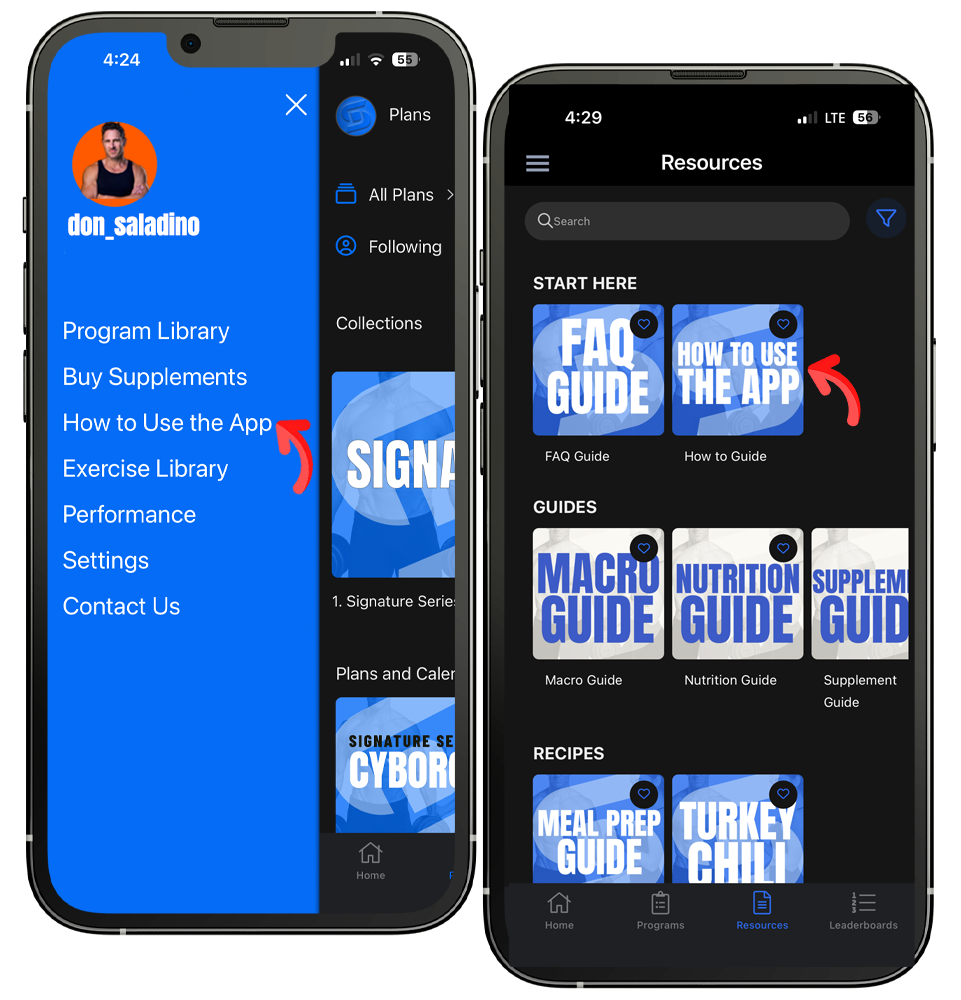
Start here
Find the video and guide
Watch the How to Use the App video in the sidebar, and read the How to Use the App guide under Resources in the footer.
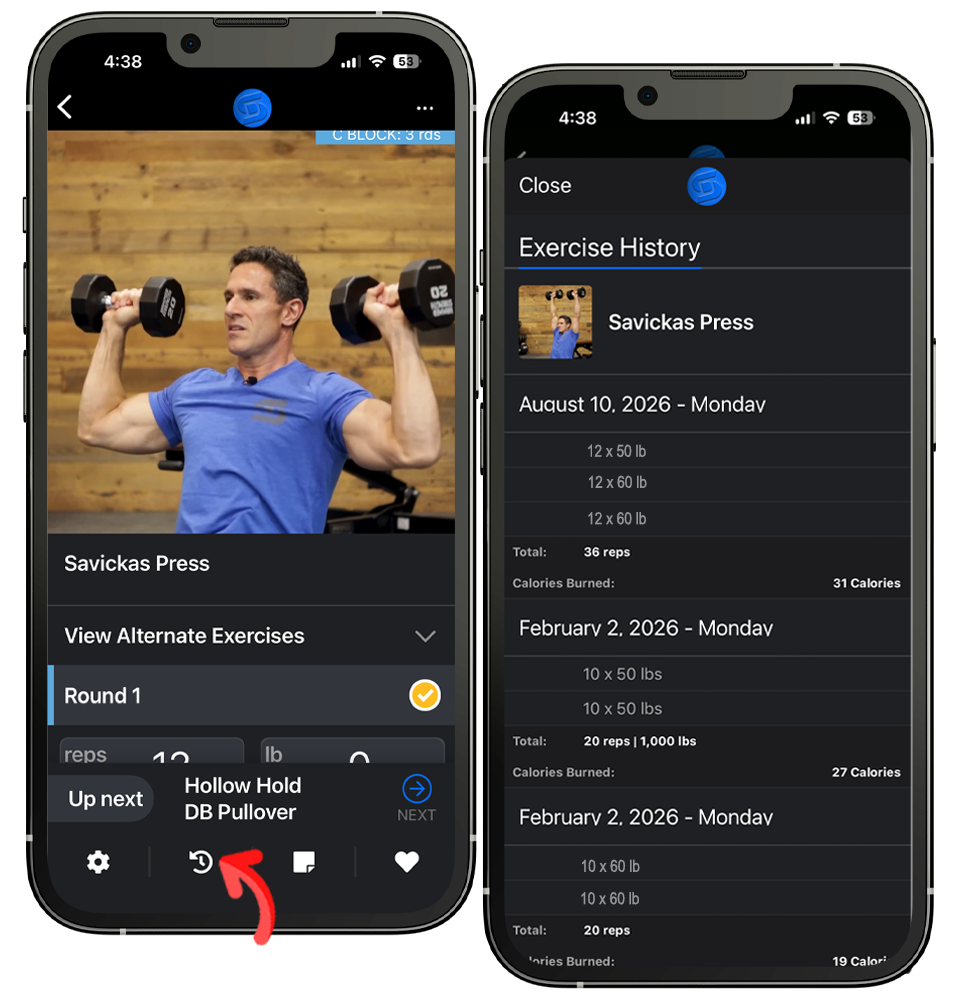
Beat last time
Check your history
While logging, tap the History button, the second icon in the footer, to see what you lifted last time. Tap Close in the upper left to return.
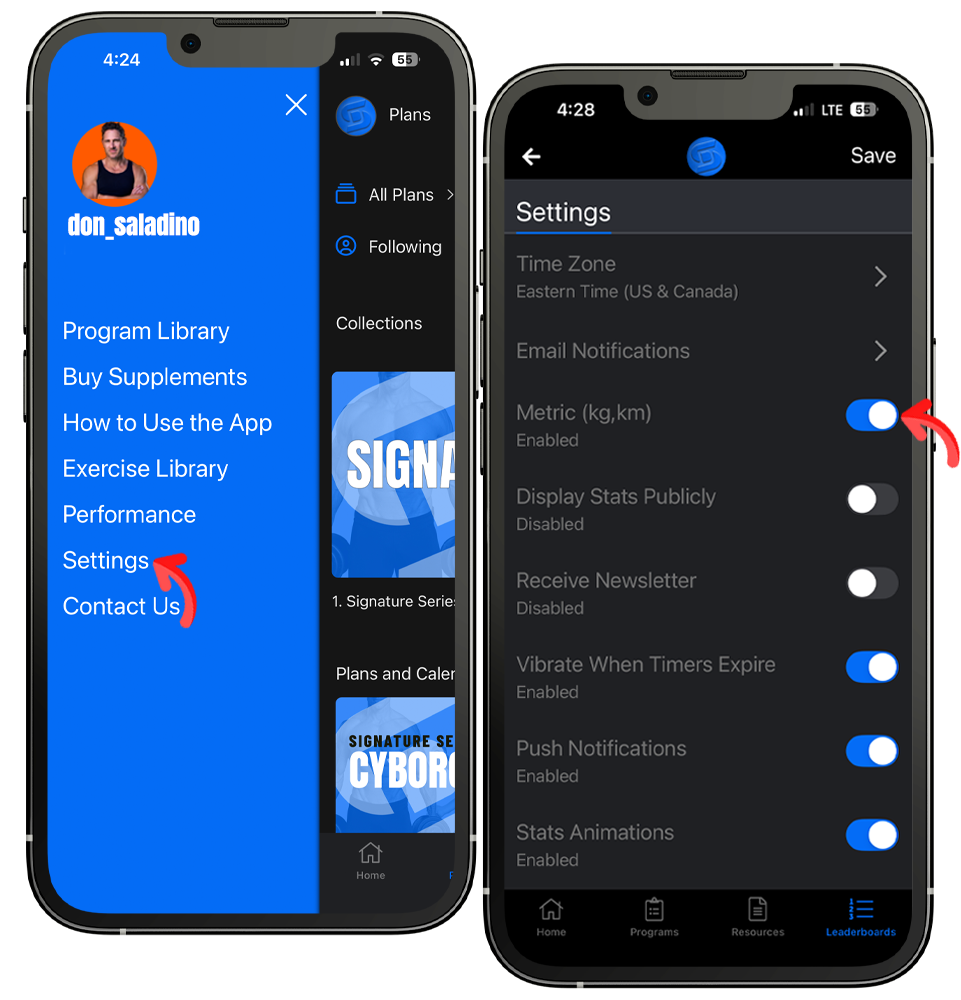
Prefer kilograms?
Switch to metric
Tap Settings in the sidebar, turn on Metric, and tap Save in the upper right corner.
Prefer paper?
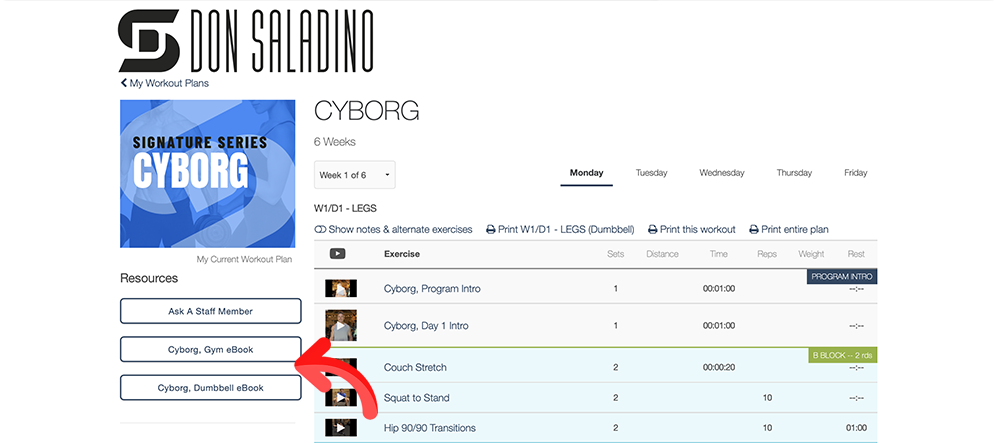
How to print an eBook
Printing works from the web version of the app on your computer.
- Log in at app.donsaladino.com
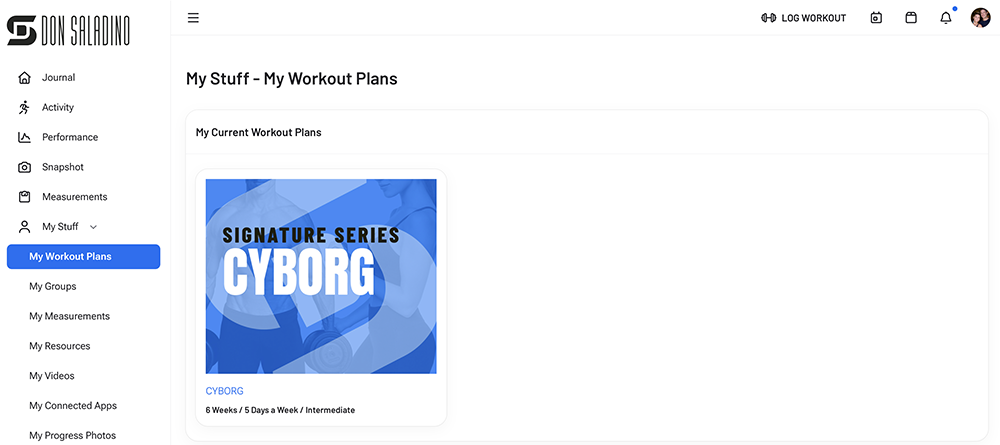
- Open the My Stuff dropdown in the left column
- Click My Workout Plans, then select your plan
- Click the Resource you want to print in the left column
- In the toolbar, click File, then Print
Swipe for step 2→
We're here for you
Need help?
Not sure which program?
Message me directly
There's a lot included in your membership. Tell me your goals and I'll help you pick your first program.
Message Don →Technical support
Email our team
Something not working the way it should? We'll be happy to help.
support@donsaladino.comTo cancel your membership
- Log in at app.donsaladino.com
- Click your account bubble in the upper right corner
- Click Billing Information
- Click Cancel Your Membership